Dockerized FastAPI template with Celery and Redis for Asynchronous Task Management
While I was working on an application that required handling of long asynchronous tasks, I was talking to a mentor of mine who asked me how I was going to handle the user experience while those tasks were being processed in the background. I hadn’t really thought about it much, so he suggested that I look into using Celery with Redis as a message broker to manage those tasks asynchronously, allowing the main application to remain responsive.
Quote
If a user initiates a task that takes a long time to complete, we can’t expect them to hang around and keep waiting for it to finish? You need a system that allows them to either keep using other aspects of the application, or leave and come back later or be notified when it’s done. Also throw in a way to check the status of their task while it’s being processed.
Understanding Task Queues and Asynchronous Processing
It was a genuine question and I realized that I needed to implement a solution that would allow for asynchronous task management. After some research, I learned about task queues and how they can help in such scenarios. Task queues allow you to offload long-running tasks to a separate worker process, which can then execute them in the background without blocking the main application.
Then reading more about it, I found out that Celery is one of the most popular task queue libraries, and it works really well with FastAPI. Celery allows you to define tasks as Python functions, which can then be executed asynchronously by worker processes. It also provides features like task scheduling, retries, and result storage.
To use Celery, you also need a message broker to handle the communication between the main application and the worker processes. Redis is a popular choice for this purpose, as it is fast, reliable, and easy to set up.
Containerization and Deployment
While I was diving into how to manage task queues and asynchronous processing, I realized that building something for production isn’t just about writing code that works, it’s also about how you package, deploy, and maintain it. That led me to start learning about containerization and deployment strategies for production applications.
I kept hearing about Docker and containerization from various sources, and it seemed like a standard approach for packaging applications so they can run reliably in different environments. I wanted to try it out myself and see how it could help streamline the deployment process, especially for a complex stack involving multiple components.
Next the first thing I did was search for a readymade template on GitHub (obviously lol) that combined FastAPI, Celery, and Redis in a Docker setup. However, they were all either outdated or didn’t meet my specific requirements. So, I decided to do it myself.
Configuration Chaos
I also wanted to use UV, the new package and project manager for Python, to manage the project’s dependencies. However, integrating UV with Docker presented its own set of challenges. UV uses a different approach to dependency management compared to pip, and the documentation and examples for using UV with Docker were sparse to say the least. Which meant I had to figure out how to properly set up the Dockerfile to work with UV (which was difficult).
This made me want to create the template that I was looking for, so that others wouldn’t have to go through the same struggles I did.
Finale
Finally after a lot of head scratching, running out of storage because of the innumerable docker images that I kept making, and hoping the docker build finally succeeds. I managed to get everything working together.
During the process I also threw in a PostgreSQL database as well, since most applications would need a database to store and retrieve data. And also added Flower, a web-based tool for monitoring and administrating Celery clusters, to make it easier to keep track of the tasks being processed.
This template includes:
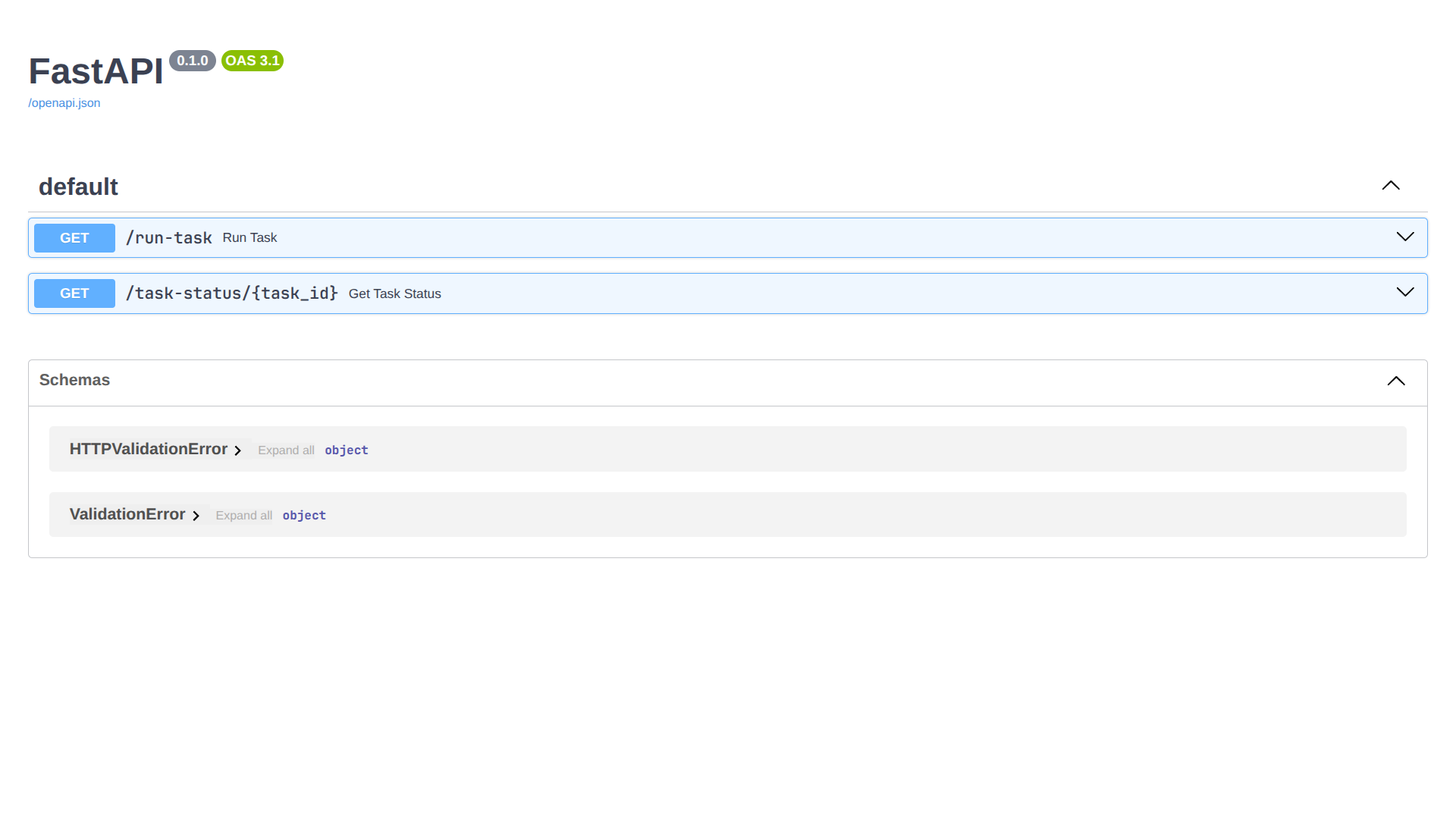
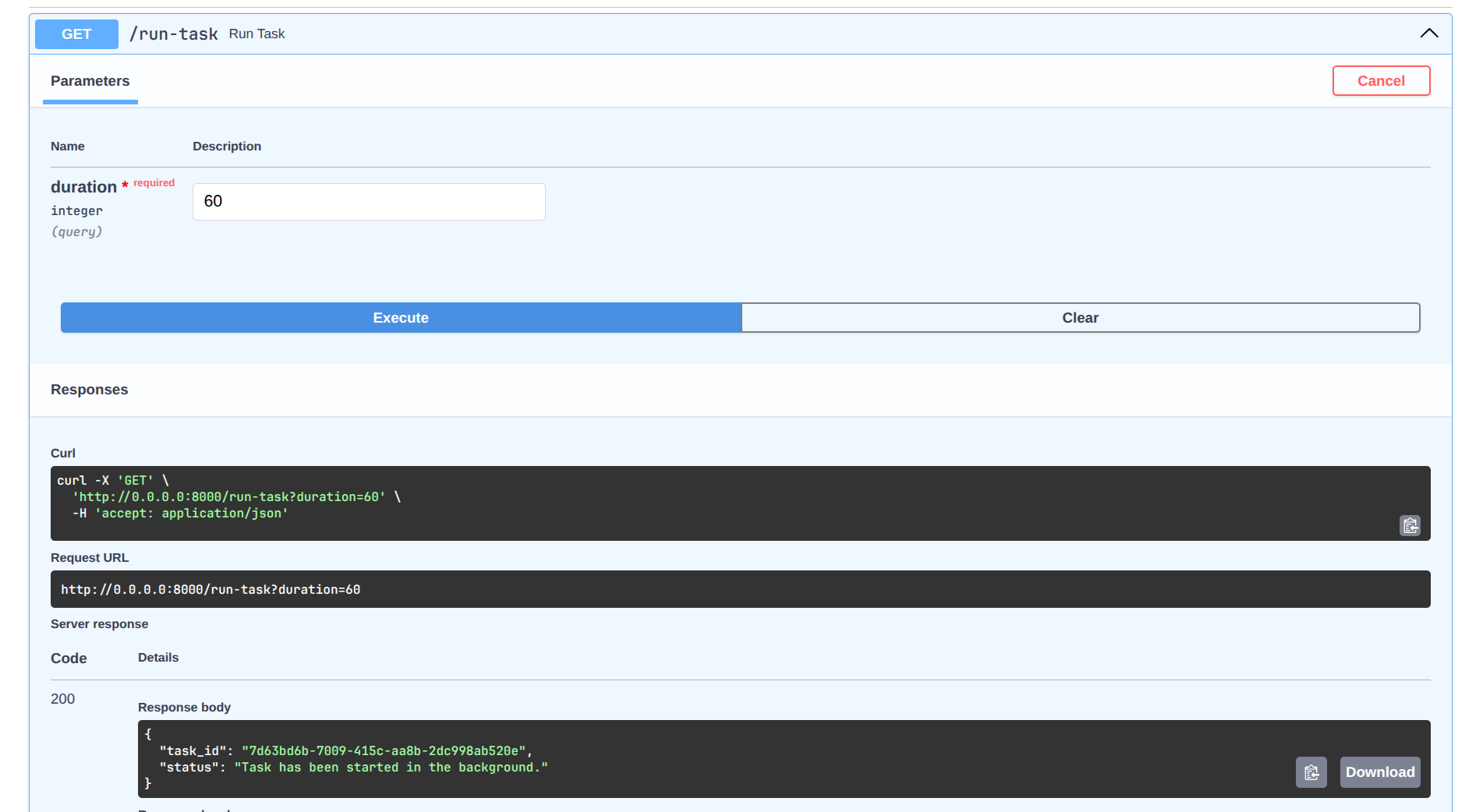
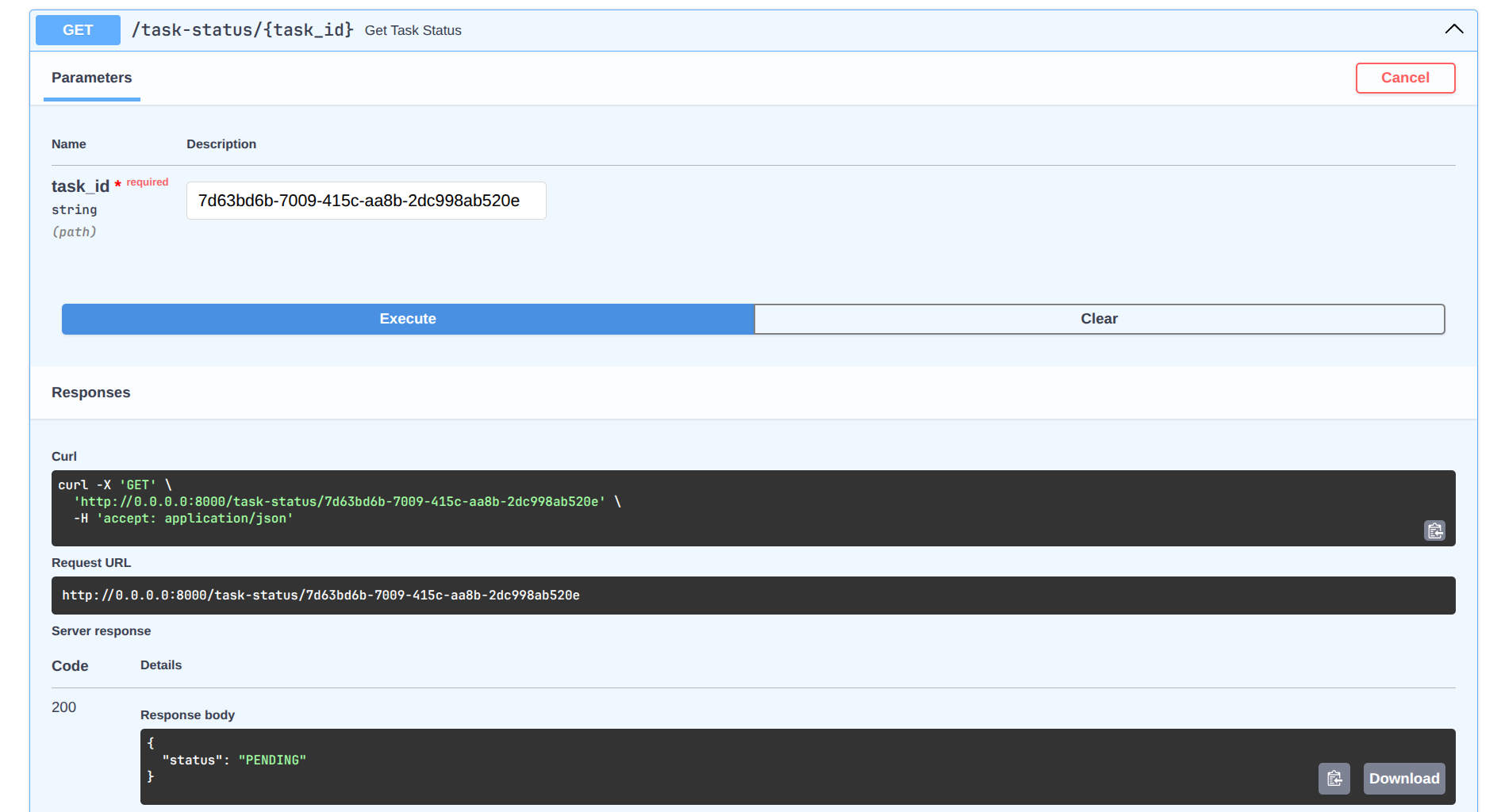
- a FastAPI endpoint to start a background task and check its status,
- a Celery worker that picks up tasks from Redis,
- a PostgreSQL datastore for persistent data,
- and a Flower web interface for monitoring Celery tasks.
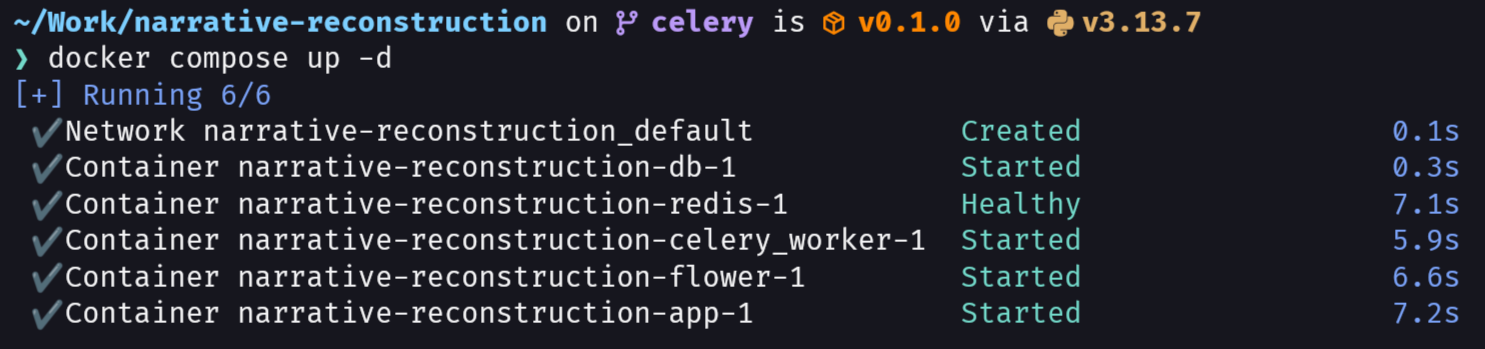
Simply run docker compose up to start the entire stack, and you can access the FastAPI’s SwaggerUI interface at http://0.0.0.0:8000/docs, and the Flower monitoring interface at http://localhost:5555.
Starting the docker container with docker compose.
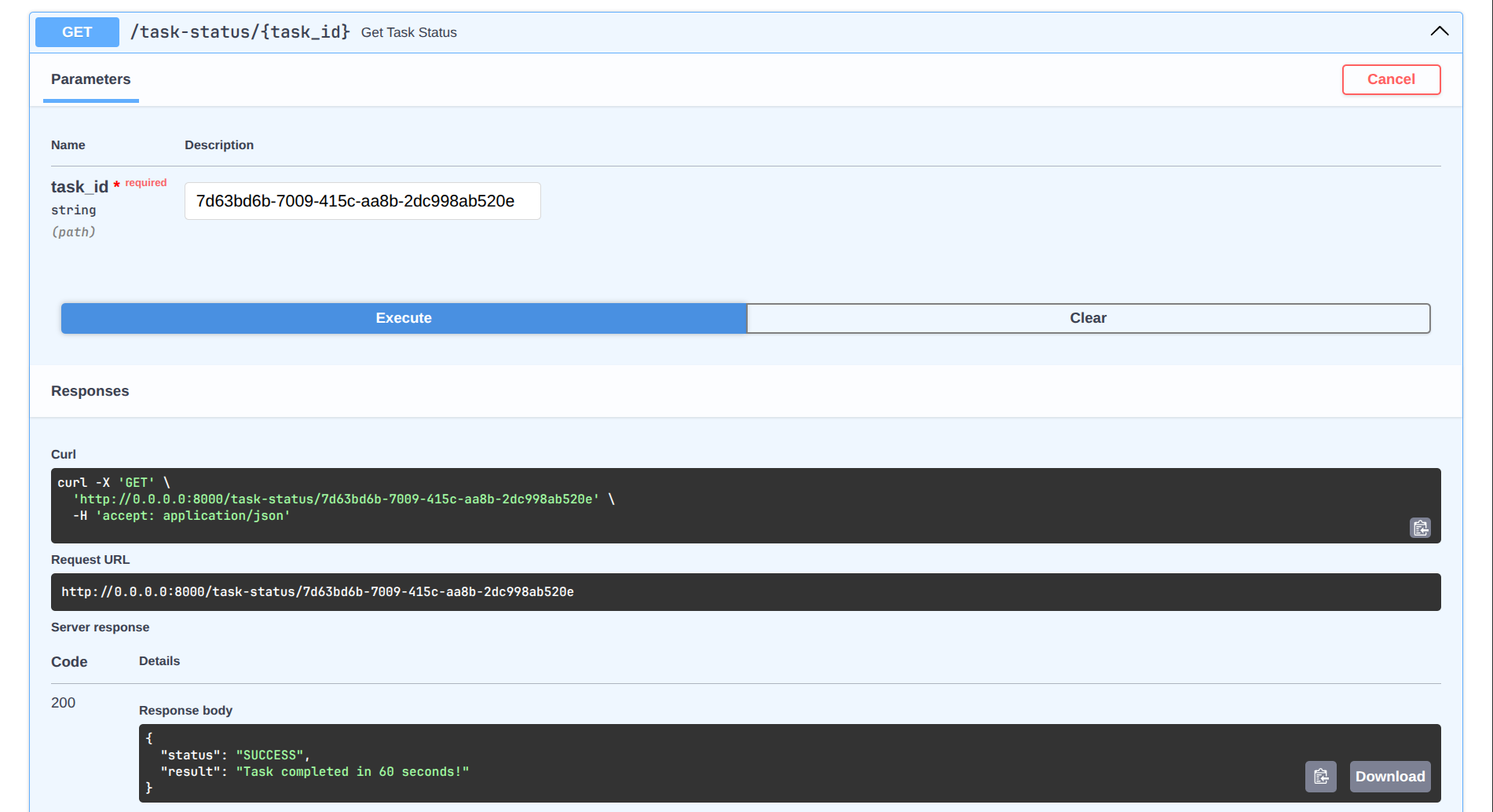
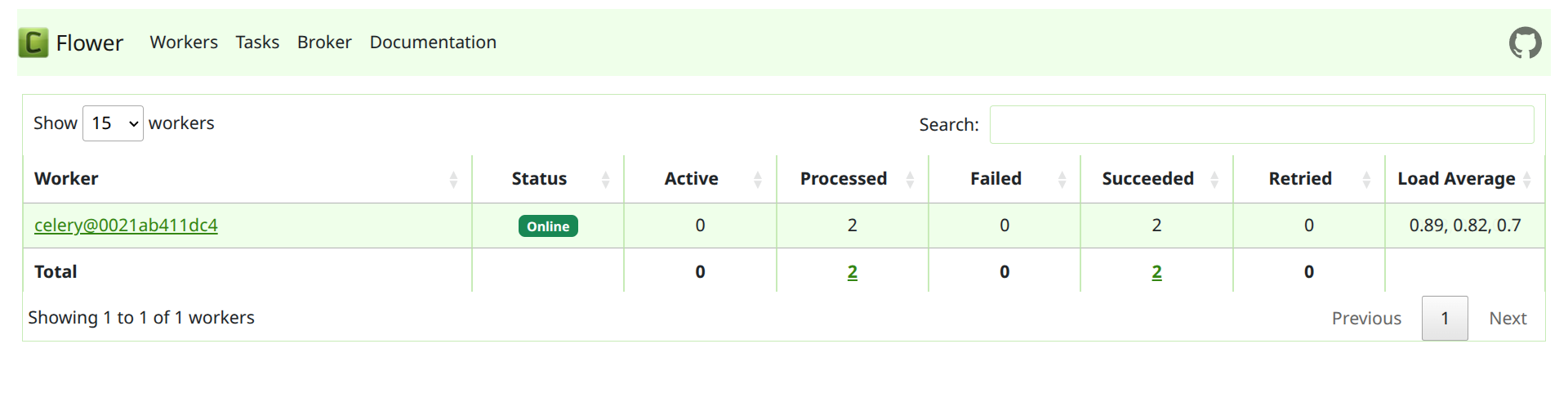
The template is designed to be easy to use and extend, allowing developers to quickly get started with building applications that require background task processing.
You can find the complete code for the template on my GitHub repository here.