Building a TUI break-time reminder for Hyprland
I just built a small TUI app to help me take breaks while working, to reduce RSI risk and eye strain.
I recently moved to Omarchy (thank you DHH and everyone who contributed). Omarchy uses Hyprland as the tiling window manager. On my old setup, I was using breaktimer (thank you to Tom James Watson) to remind me to take breaks. It’s a simple app that shows a fullscreen popup once in a while, reminding you to look away from the screen or stretch.
In my previous workflow, that configuration worked really well. It genuinely helped reduce my eye strain. I’ve used it enough to know it actually works (at least for me).
But after switching to Hyprland, it was pretty disappointing to see it struggle:
- The fullscreen popup that’s supposed to block the screen didn’t open in fullscreen.
- I could just move the popup to another workspace and keep working on my current one (bad self control, I know).
- It used a lot of RAM — not insane, but around ~1 GB.
At the same time, I wanted to learn Go. I found out that that Go has an awesome framework, BubbleTea, for building excellant terminal UIs (opencode, claude code). That felt like a perfect excuse to build my own break timer that fits a Hyprland + keyboard-first workflow.
So I made one: hypr-breaktimer (yes, incredible name, I know).
What it is
hypr-breaktimer is a tiny, terminal-based break reminder designed to fit into a Hyprland workflow without getting in your way.
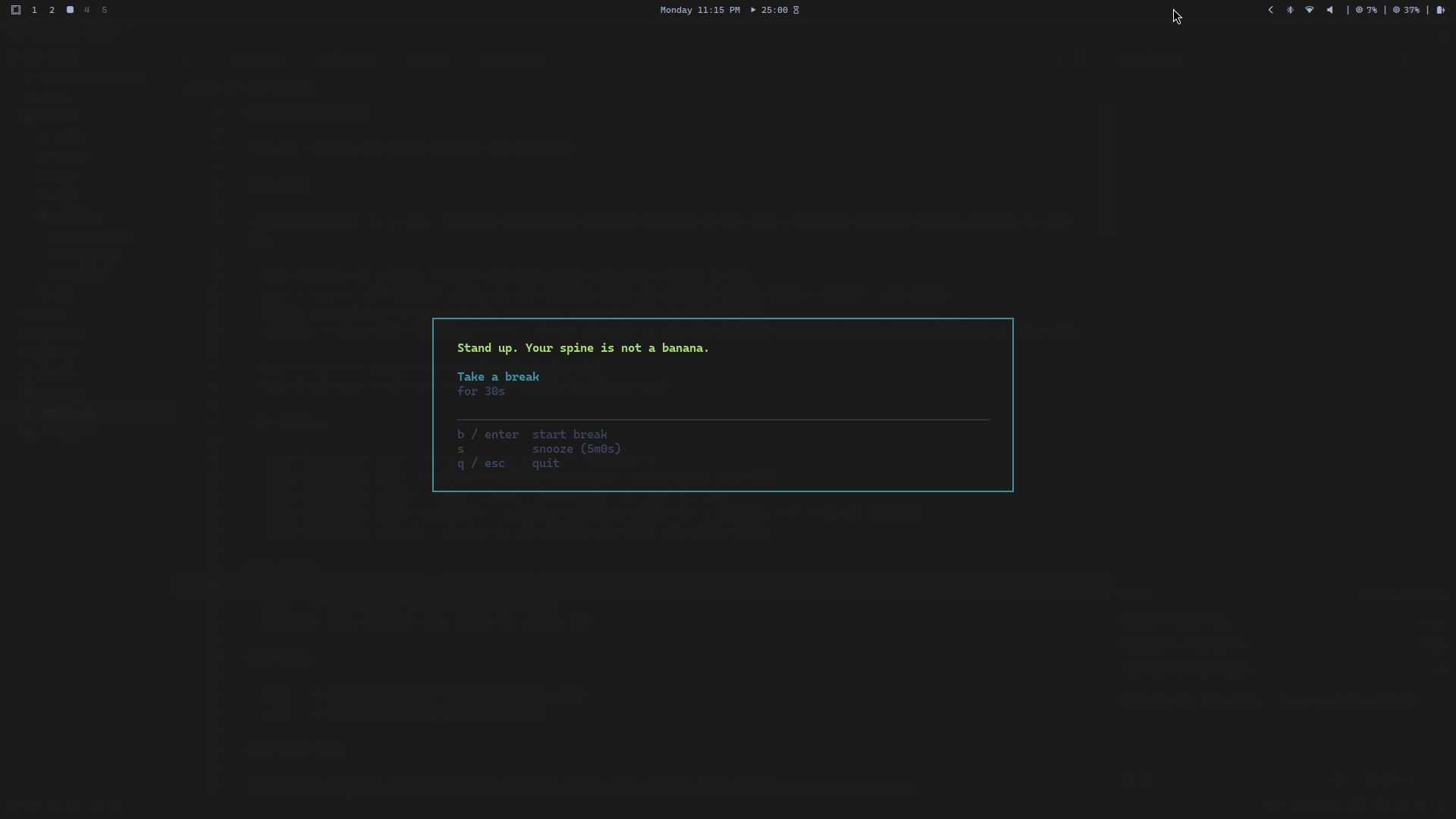
How it fixes the Hyprland problems
I realized that we can target the popup window reliably with Hyprland window rules (by matching the window title). That let me fix the “not really fullscreen” bug and the “just move it away to another workspace” loophole as well.
Here’s the hyprland windowrule configs I used:
windowrule = opacity 0.9 0.9, match:title ^(hypr-breaktimer-popup)$
windowrule = float on, match:title ^(hypr-breaktimer-popup)$
# use your screen size to fit it perfectly
windowrule = size [size][size], match:title ^(hypr-breaktimer-popup)$
windowrule = pin on, center on, match:title ^(hypr-breaktimer-popup)$
And here’s an even more ridiculous version (this one holds focus and disables default window closing action):
windowrule = pin on, center on, stay_focused on, no_close_for, match:title ^(hypr-breaktimer-popup)$
The main goal isn’t to be annoying for no reason it’s to remove the easy “I’ll ignore it this one time” escape routes.
Highlights
- Stays out of the way: runs quietly on a timer and only opens a UI when a break is due.
- Keyboard-first ui: start break / snooze / end early.
- Theme friendly: it inherits your terminal theme automatically.
- Focus mode (do not disturb): temporarily suppress scheduled popups during meetings or deep work.
- Simple defaults: 30m work interval, 5m break, 10m snooze (configurable).
Technical details
How it runs (simple + low-level)
I kept the scheduling low level on purpose: it uses systemd user timers to run a tiny “tick” service periodically, and when a break is due, it triggers the popup. No tray app, no heavy background process doing a million things, just a clean timer + a small Go program.
Install is bundled (because setup should be easy)
I also bundled an install.sh script because I wanted installing it to be one command, not a mini project.
It does three main things:
- Builds and installs the Go binary (so you get a
hypr-breaktimercommand on your PATH). - Creates a default config file (only if you don’t already have one), so you can tweak intervals, titles, etc.
- Sets up the systemd user scheduler (service + timer) so it just runs in the background automatically (optional if you do not trust random scripts adding systemd entries, which you should not).
Basically: clone → run the script → done.
It is for my configuration and use case, so you might want to tweak it for your own needs, so yes the above section might have been a lie.
A small CLI (so you can control it)
It’s also a CLI-first app, so you can control it without opening the UI:
hypr-breaktimer showto force open the popuphypr-breaktimer statusto check when the next break is duehypr-breaktimer block <duration>/unblockfor focus mode / do-not-disturb
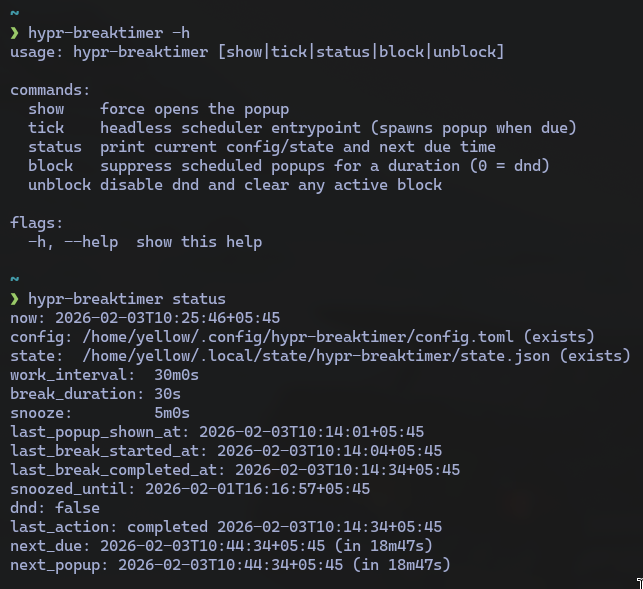
The most important feature: stupid messages
Let’s be honest, the best feature is the popup messages. I added a bunch of jarring, chaotic, stupid reminders that make it harder for me to negotiate with myself.
Because you don’t always need mindfulness. You need a little terminal window to yell at you: go drink water and stop speedrunning carpal tunnel.